thock: hear Choc switches on Atlas
A small browser prototype: pick a few Choc switches, type on a virtual Atlas, and hear each one. Real recordings of built keyboards will follow on the order page.
Updated October 2026. thock started as a full switch-sound lab; it is now a much simpler prototype.
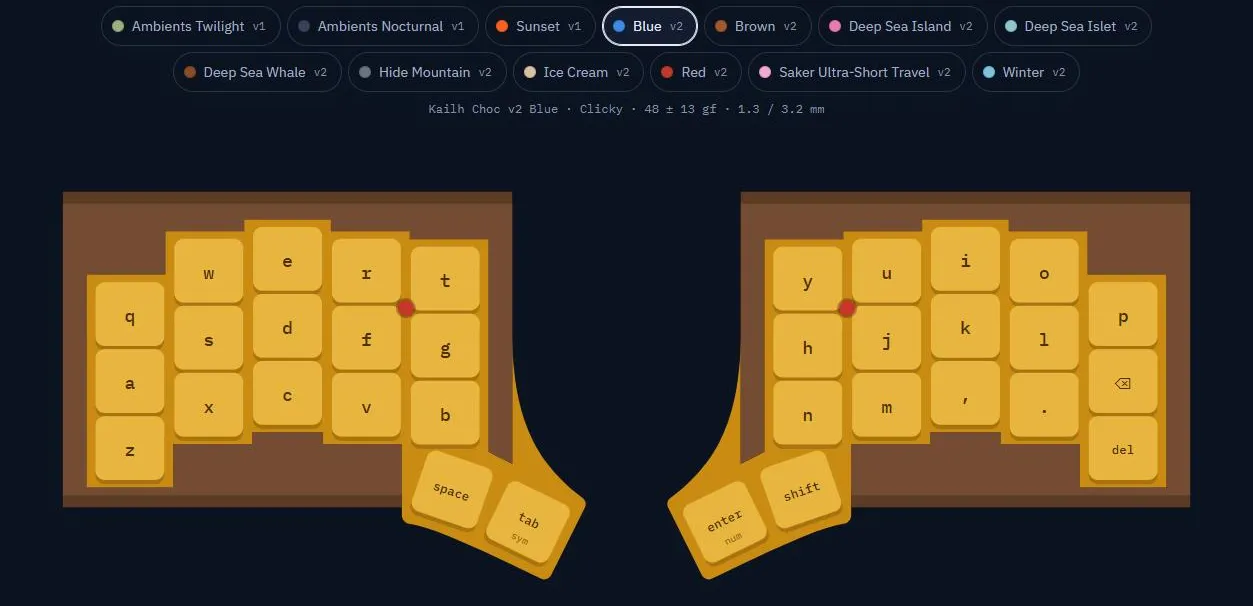
thock lets you hear Kailh Choc switches before you pick one for Atlas. Choose the switches you want to compare, then type on your keyboard or tap the keys of a virtual Atlas. Every keypress plays the selected switch, and you can swap switches mid-sentence from the row on top.
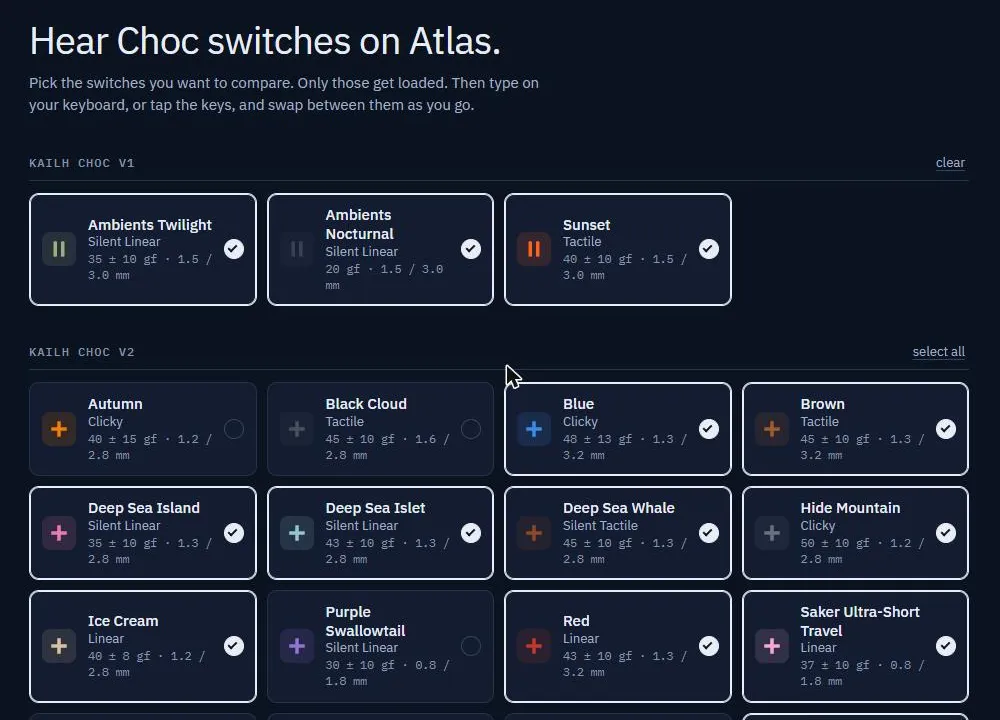
The library holds 19 switches: 16 Kailh Choc v2 and 3 Choc v1, with force and travel from the manufacturer datasheets. Only the switches you pick get downloaded. A select in the top bar colours the sound for a few listening situations, from a foam-lined case to across the room.
A prototype, not the final word
Every sample was recorded on a switch tester, not in a finished keyboard. That is fine for comparing switches side by side, but a built Atlas sounds different: the case, plate and keycaps all change the sound.
So thock stays a prototype. When Atlas orders open, the switch choice on the order page will come with recordings of complete Atlas keyboards, one per switch we stock.
The original recorder and analysis tools are still there at thock.mwlabs.be/lab. The source is on GitHub.